support-us@roborock.com
We'll get back to you within 1 business day.
1-855-960-4321
Helpline hours: 24/7, US only

You can check below table for more information.

How long does it take to charge the Roborock H6?
Does continually connecting the machine to the charger or charging stand damage the battery?
Should I unplug the dock charger when the robot cleaner is fully-charged?
Why does the vacuum indicate “Low Battery Charge Soon”?
Why is the battery not full even after charging for a long time?
The climbing ability of all the products, except S4 is 2cm (0.79inch), including S6 MaxV, S6 Pure, S6, S6 Max, S5, E4, E2/E3, C1, while the S4 is 1.5 cm (0.59inch).
Roborock Home is a skill that will allow users to bind their Mi ID to the Alexa. After account linked, users will be able to control the Roborock devices via Alexa.
Note: Make sure your robot is added and online on Mi Home app first.
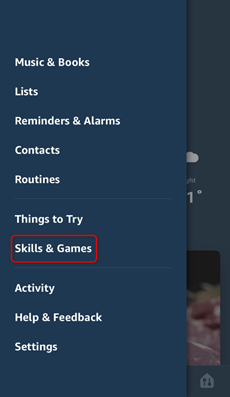
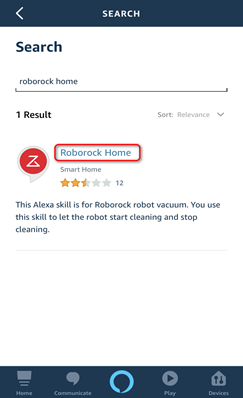
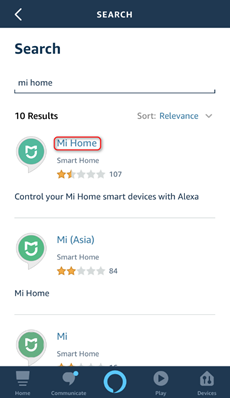
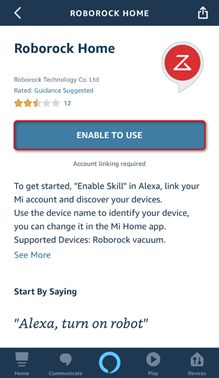
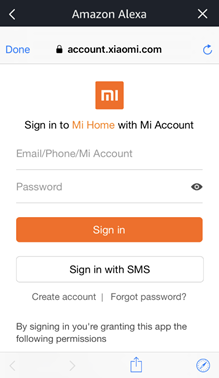
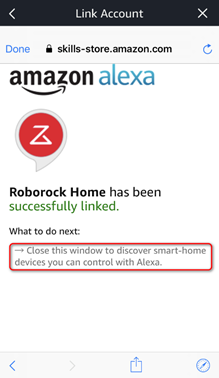
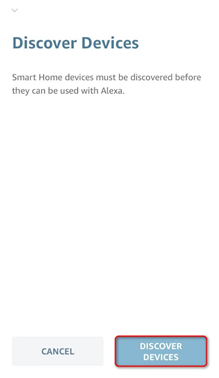
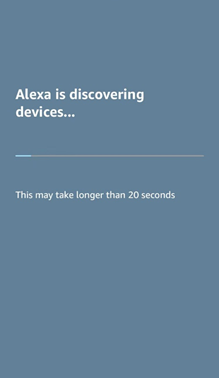
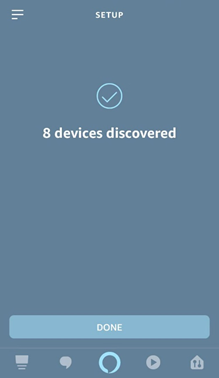
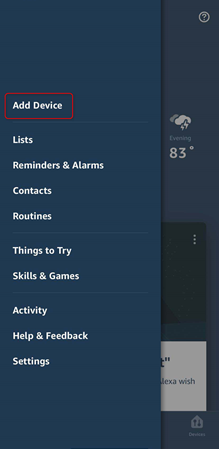
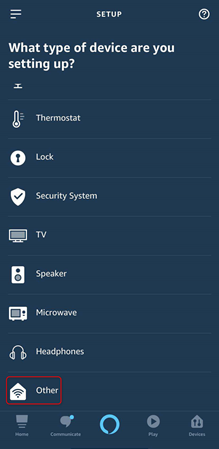
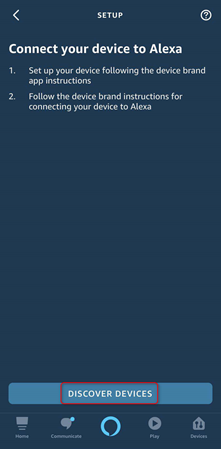
Note: At present, Alexa smart speaker could only start and stop robot by skill Roborock Home or Mi Home.
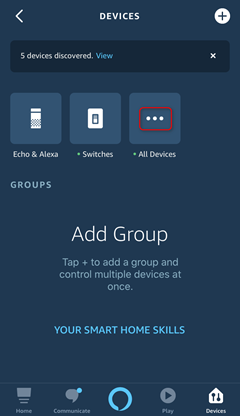
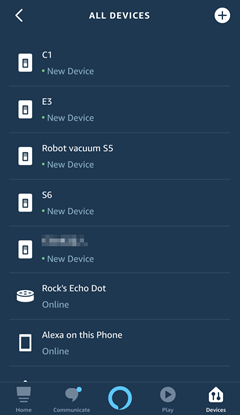
How do I connect robot vacuum to alexa via skill Roborock Plus?
How do I connect robot vacuum to Google Home?
How to connect Roborock to Mi Home on an Android device?
How do I connect my robot cleaner to Roborock app on an iOS device?
How do I connect my robot cleaner to Roborock app on an Android device?
Why cannot my robot cleaner work under China region of Mi Home app?
Standard dock can operate between 100 V-240 V AC (Volts Alternating Current).
Auto-Empty Dock (or any dock with emptying function) works as follows:
US version: 100V-120V
EU version: 220V-240V
AU version: 220V-240V
JP version: 100V-127V
KR version: 220V-240V
TW version: 100V-127V
RU version: 220V-240V
UK version: 220V-240V
Check your regional voltage before use.
|
Yes. Onboard cliff sensors will detect any drops and prevent the robot from falling.
Related FAQ:What is the maximum height of a threshold that Roborock can pass over? |
a. Make sure your phone is already connected to Wi-Fi;
b. Open the top of your cleaner to see the Wi-Fi indicator light during the connection process.
3.3.2.1 Select your device’s model from the “Home appliance” category.
3.3.2.2 Tick “Operation confirmed”.
Related FAQ:
How to connect Roborock to Mi Home on an iOS device?
How do I connect my robot cleaner to Roborock app on an iOS device?
How do I connect my robot cleaner to Roborock app on an Android device?
How do I connect robot vacuum to Amazon Alexa via Roborock Home or Mi Home?
How do I connect robot vacuum to alexa via skill Roborock Plus?
If the above materials do not help, contact us and we'll get back to you as soon as possible.
support-us@roborock.com
We'll get back to you within 1 business day.
1-855-960-4321
Helpline hours: 24/7, US only